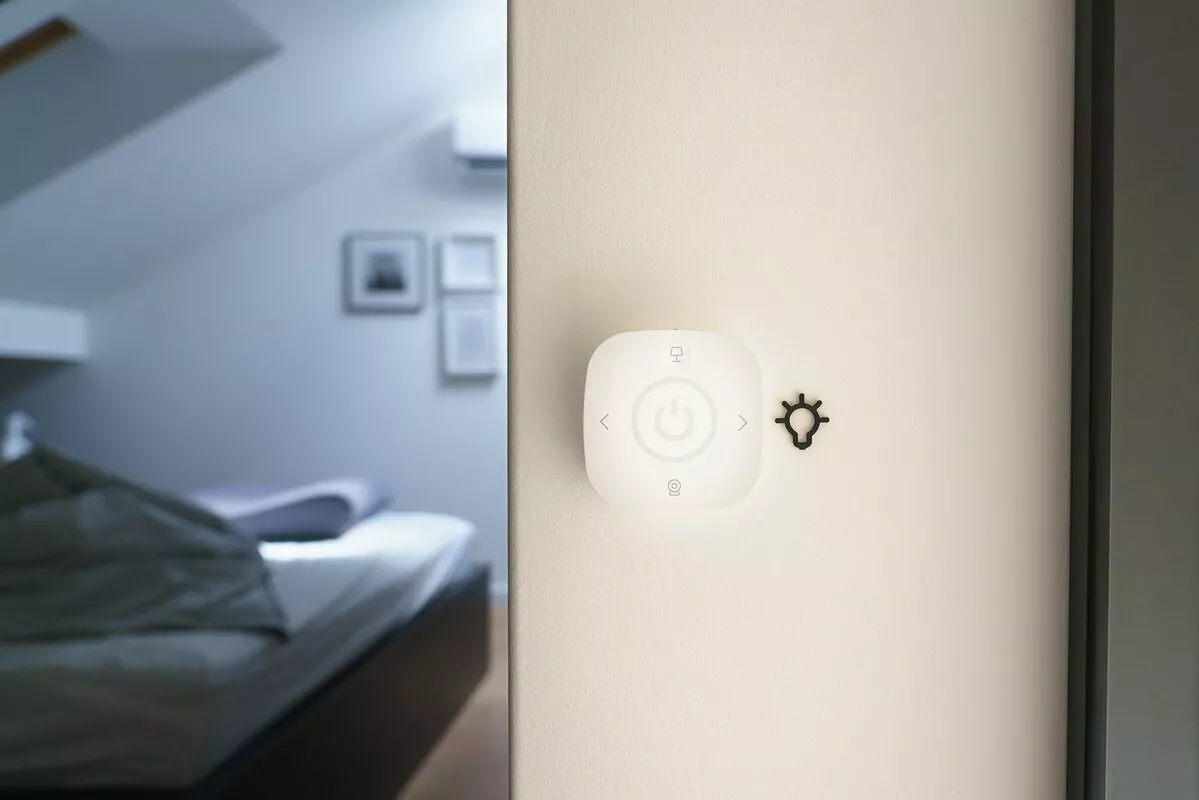
My Smart Home with Home Assistant: How to do Smart Home the right way 🏡
Introduction
In this article, I will share my experience of building a Smart Home with Home Assistant, an open source and local-based home automation platform. I will also share my current setup and some tips and tricks that I have learned along the way. I hope that this article will inspire you to build your own Smart Home the right way.
If you just want to see my setup, skip to the How I run my Smart Home with Home Assistant section.
I started my Smart Home journey with some self-built Arduino-based solutions, but I soon realized that they were not scalable and reliable. I then experimented with some cloud-based services like IFTTT and Node-RED with MQTT, but I was not satisfied with their performance and security. I also tried some commercial Smart Home products, but I found them to be expensive, restrictive, and dependent on internet connectivity.
I was looking for a solution that would allow me to control and automate my Smart Home devices locally, without relying on any third-party cloud services or paying any monthly fees. I also wanted a solution that would support a wide range of devices and protocols, and that would be flexible and customizable to suit my needs and preferences. That’s when I discovered Home Assistant.
What is Home Assistant?
Home Assistant is a Python-based and open source platform that enables you to build your own local and secure Smart Home system. It supports a wide range of hardware platforms, from low-cost devices like Raspberry Pi to high-performance servers or virtual machines. It can communicate with hundreds of Smart Home devices and services, using various standard and proprietary protocols, such as Wi-Fi, Zigbee, Z-Wave, MQTT, REST, and more. It can also integrate with other systems, such as your existing home automation system, your security system, or your smart speakers.
Home Assistant offers a web-based user interface that lets you monitor and control your Smart Home devices, as well as create automations, scenes, scripts, and dashboards. You can also use voice assistants, such as Google Assistant or Amazon Alexa, to interact with your Smart Home devices through Home Assistant. Home Assistant also has a mobile app that lets you access your Smart Home from anywhere.
Home Assistant is designed to be modular and extensible, so you can customize it to your liking. You can use YAML files to configure your devices and automations, or use the graphical user interface for easier setup.
Why Home Assistant?
Home Assistant is a local, open source, free, easy, powerful, flexible, and compatible Smart Home solution. It offers:
- Privacy and security: No internet or third-party access required. You own your data.
- Open source and free: You can view, edit, and contribute to the code. You can join the active community of developers and users. No subscription or hidden fees.
- Ease and power: You can install and configure it easily. You can use the web interface, mobile app, or voice assistants. You can integrate with hundreds of devices and services. You can create smart automations, scenes, scripts, and dashboards. You can customize and extend it.
- Flexibility and compatibility: You can run it on various hardware and OS. You can choose different installation methods. You can support many devices and protocols. You can interface with other systems. You can use add-ons, integrations, and custom components.
How I run my Smart Home with Home Assistant
I could probably write a whole book about my Smart Home setup an all my automations, but I will try to keep it short and simple.
Things I made smart
- All Lights with Philips Hue
- Motion Sensors from Philips Hue
- Robot Vacuum Xiaomi Roborock S5
- Roller Blinds
- Door Sensor with MQTT & Xiaomi Aqara Sensors
- Window Sensor with MQTT & Xiaomi Aqara Sensors
- Temperature & Humidity Sensors with MQTT & Xiaomi Aqara Sensors
- Smoke Detector with MQTT Sensor from Aliexpress
- Selfmade CO2 Sensor with ESP32 and ESPHome
- Selfmade Bed-occupancy sensors with ESP32 and ESPHome
- 3D-Printer with Octoprint
- Music with Amazone Echo
- and many more…
The Brain
I running Home Assistant in Docker on my Personal Server. I have old PC with a Intel Core i5-11400F CPU, 64GB of RAM, and redundant ZFS storage, running Unraid 24/7, 365 days a year. It results in a much faster and more reliable system than running it on a Raspberry Pi and it also allows me to run other services on the same machine.
Here is a screenshot of my Unraid Dashboard for a quick overview of my system and things I currently run on it:
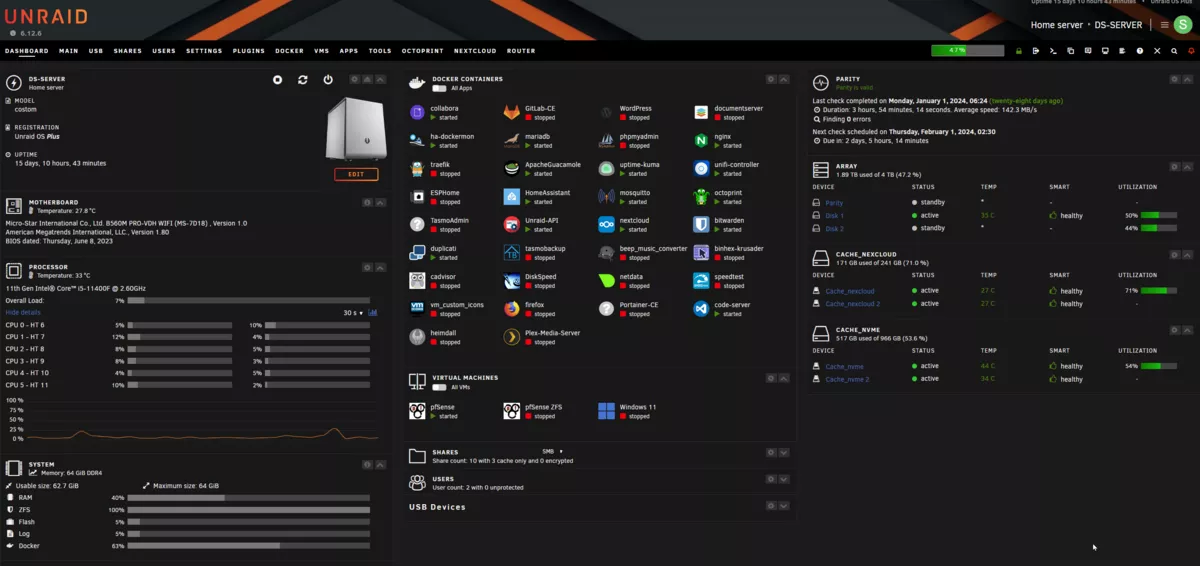 Unraid Dashboard
My Automations
Automatons are the heart of every Smart Home. They are what makes my Smart Home smart. They are what makes my Smart Home a joy to live in. Currently I have about 40 Automatons running in Home Assistant I use them to automate my lights, blinds, vacuum, and other devices. I also use them to control my devices based on the time of day, the weather, or other conditions. They are perfectly tuned to my needs and I can easily change and adjust them if I want to. Most of them don’t require any user interaction, so they run in the background without me even noticing them.
My Dashboard
I have created a dashboard in Home Assistant that allows me to monitor and control my Smart Home devices. It has a clean and simple design, and it is easy to use. Home Assistant allows you to customize your dashboard however you want. You can add widgets, change the layout, and even create your own custom widgets. You can also create multiple dashboards for different rooms or purposes. I put my dashboard on a cheap Samsung Tab A8 tablet that I mounted on the wall in my living room using a self-made 3D printed mount that you can find on my Thingiverse page here. I put an AC Socket with a USB charger behind the tablet so I can charge it without having to remove it from the wall. It allows me to control my Smart Home devices from anywhere in my house, and the screen turns on automatically when I stand in front of it thanks to the Fully Kiosk Browser app running on the tablet.
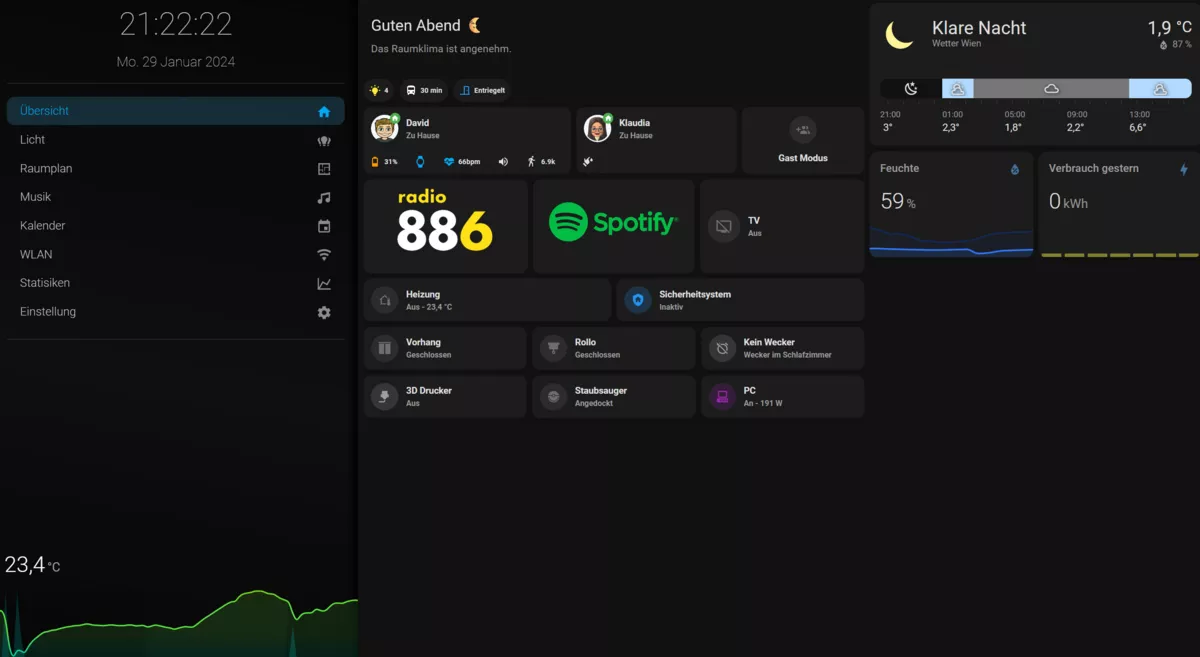 Home Assistant Dashboard Home View
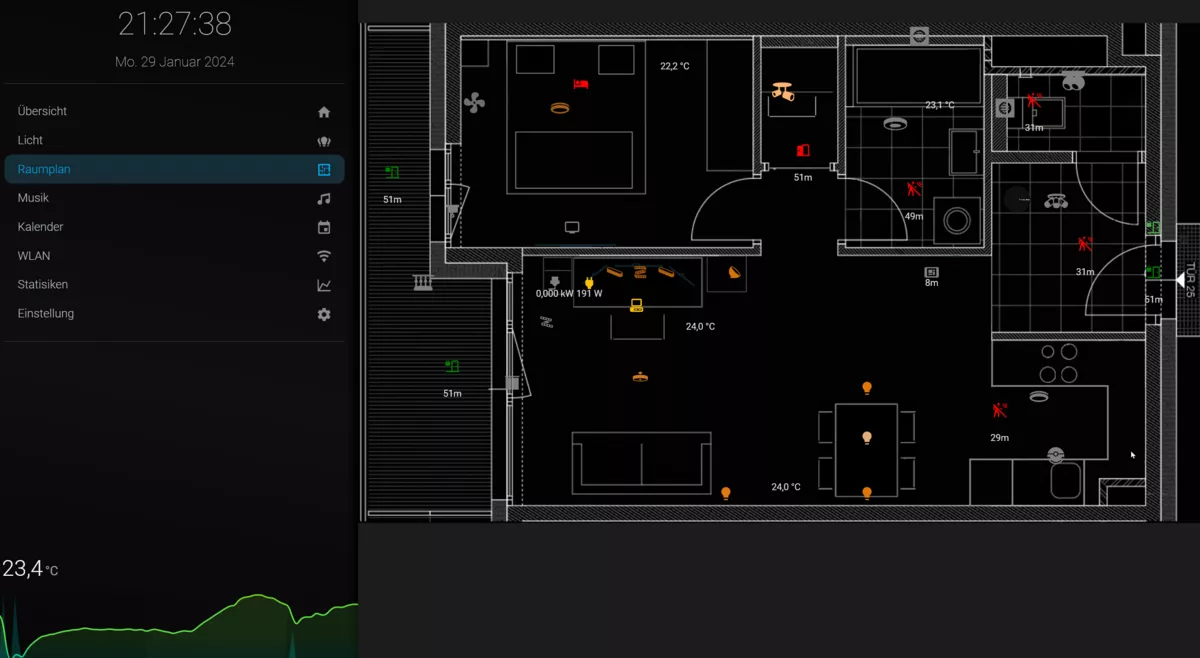 Home Assistant Dashboard Room View
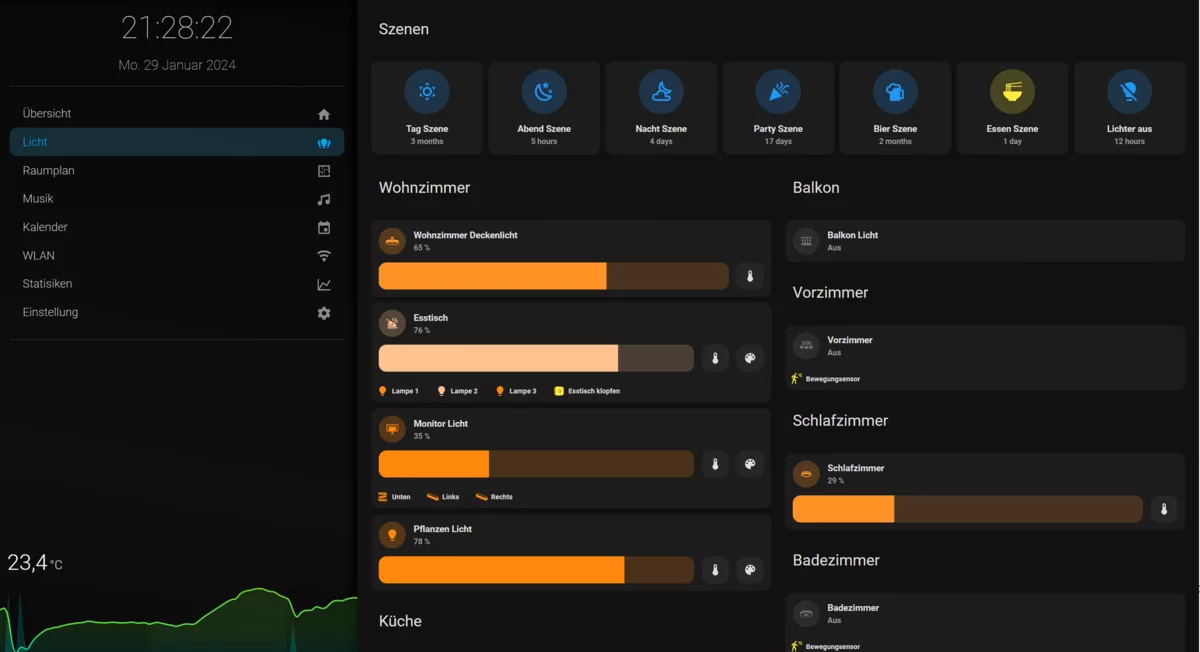 Home Assistant Dashboard Lights View
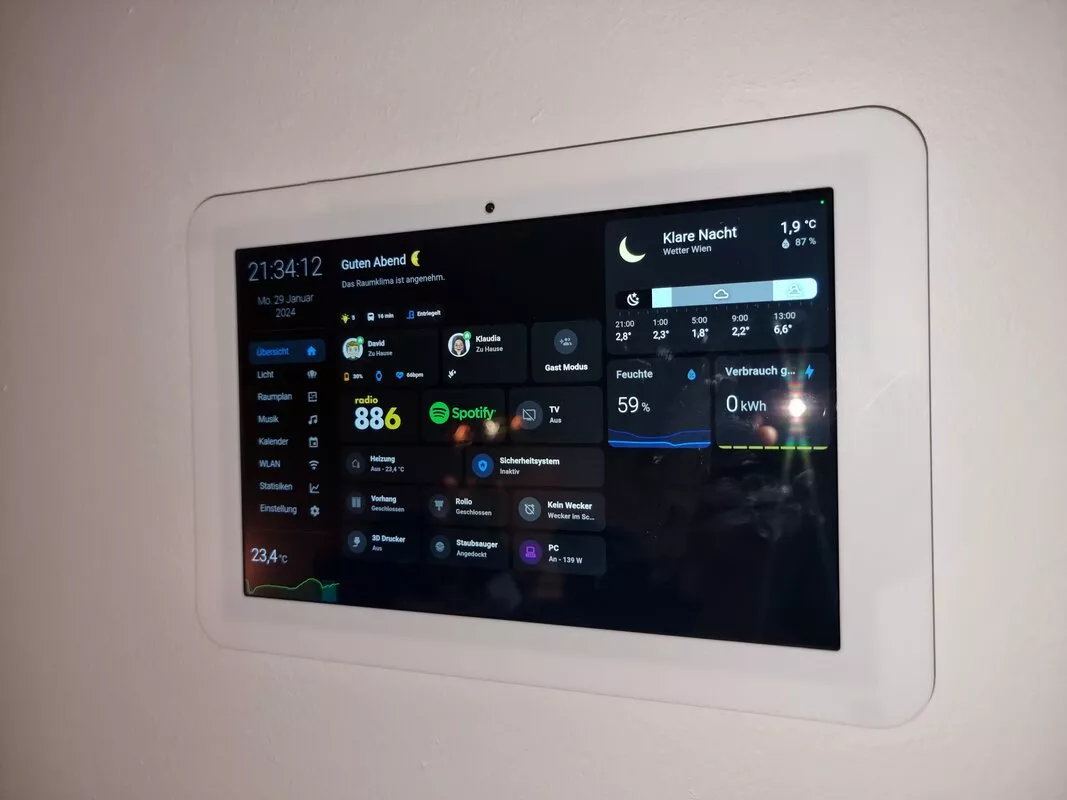 Samsung Tab A8 Tablet with Home Assistant Dashboard
Should everyone use Home Assistant?
Home Assistant is a great solution for DIY Smart Home enthusiasts who want to have a local, secure, open source, free, easy to use, powerful, flexible, and compatible home automation platform. However, Home Assistant is not for everyone. If you are looking for a plug and play solution that does not require any configuration or maintenance, then Home Assistant is not for you. Home Assistant requires some technical skills and knowledge, as well as some time and effort, to set up and maintain. You also need to be comfortable with using YAML files, templates, variables, and conditions, or be willing to learn them. You also need to be aware of the potential risks and challenges of running a local-based system, such as hardware failures, power outages, network issues, etc.
Conclusion
In this article, I have shared my experience of building a Smart Home with Home Assistant, and explained why I chose Home Assistant over other solutions and how it can benefit you as a DIY Smart Home enthusiast. I hope that this article has inspired you to try Home Assistant and to build your own Smart Home with it. If you want to learn more about Home Assistant, you can visit its official website, its documentation, its forum, or its subreddit. You can also watch some YouTube videos, listen to some podcasts, or read some blogs about Home Assistant. You can also join the Home Assistant community on Discord, Twitter, Facebook, or Instagram, and share your ideas, questions, and feedback with other Home Assistant users and developers. Happy Smart Home building!